
How to translate Elementor page with Google translate
Now you can configure Falang and Falang for Elementor to help you to translate your site with Google translate
1 - Configure the Google service in Falang
The fist step is to add the Google key to Falang plugin. Start by logging into your WordPress dashboard and navigate to Falang > Settings. You need to choose the Google service in the list and enabled the translation service.

2- Translate a page made with Elementor
Our site is configured with 3 language. The english is the default language , french and German are translated languages.

Actually the help for translation work only the text editor.
3 - Set the translation for German
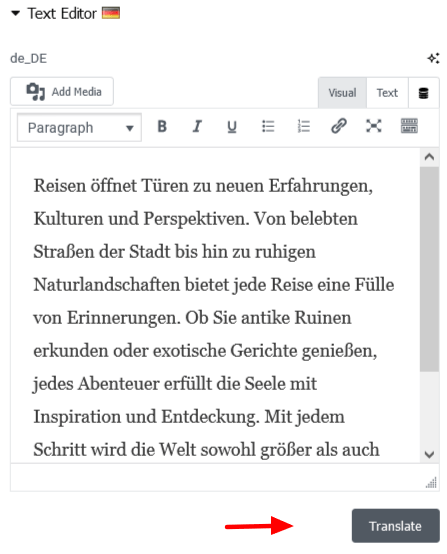
Open the Text editor for German you will see the editor with the translate button on the bottom , just click on it to have a translation make with google , of course you can change it after.
4 - Set the translation for French
Do the same with French , the translation will be done in french in the french section
